
FT-Browser for Android
Download and use FT-Browser on Android
The Android edition processes supported media directly on the phone and can save completed files to a user-selected folder.
Compatibility
FT-Browser targets Android 8.0 and newer. Phone manufacturers customize Android, so storage prompts and folder names can look slightly different across Samsung, Google Pixel, Xiaomi, Oppo, Vivo, OnePlus, and other devices.
- Android 8.0 or newer
- Enough free storage for the selected video or audio
- A stable connection during analysis and download
- Permission to save the selected public media
Install and approve your device
Download the APK only through the official FT-Browser download link. Android may ask you to allow installation from the browser or file manager you used. Device approval is handled privately by Faqiri Tech; no shared activation key is published.
- Open the official APK from your Downloads folder
- Approve installation from that source only when Android asks
- Open FT-Browser and copy your device identifier
- Contact Faqiri Tech privately for device approval
Find completed downloads
Choose a public folder through Android's system folder picker when the app offers Save to Files. This keeps media accessible from the Files app instead of leaving it only inside private application storage.
- Open Files or Files by Google
- Check the folder you selected, commonly Downloads
- Use the file name shown by FT-Browser
- If storage is full, free space before retrying
Visual walkthrough
Android setup, step by step
These screens come from one example Android device. Labels can vary by manufacturer; enter your own registration details and keep private device information to yourself.
-
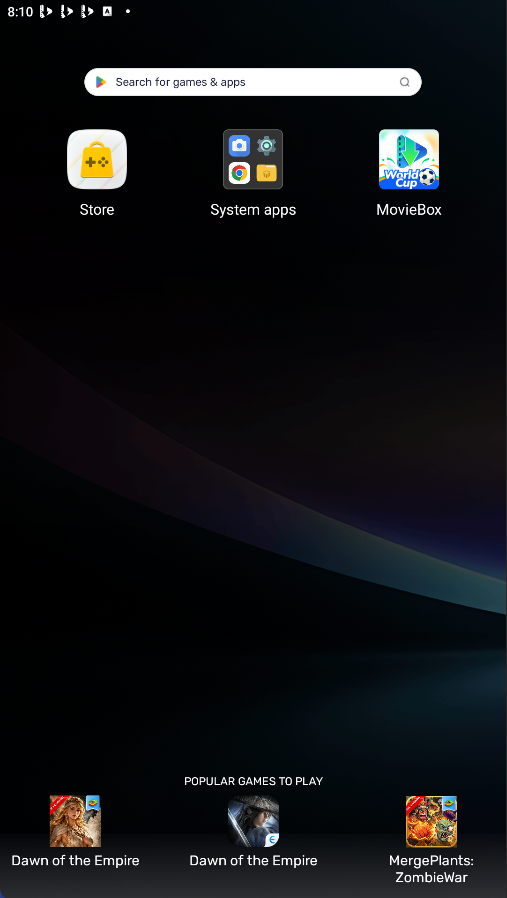
Start on your Android device
If FT-Browser is not installed yet, open ftbrowser.fit in your browser.
-
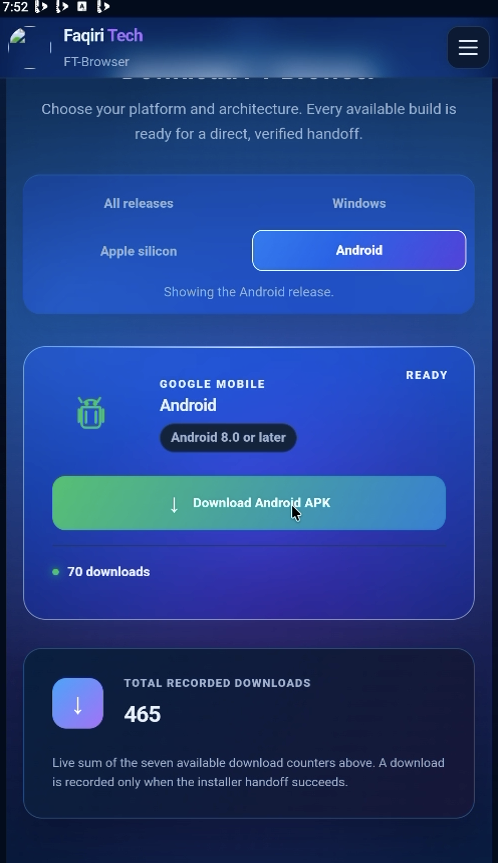
Download the Android APK
Open Downloads, select Android, and tap Download Android APK.
-
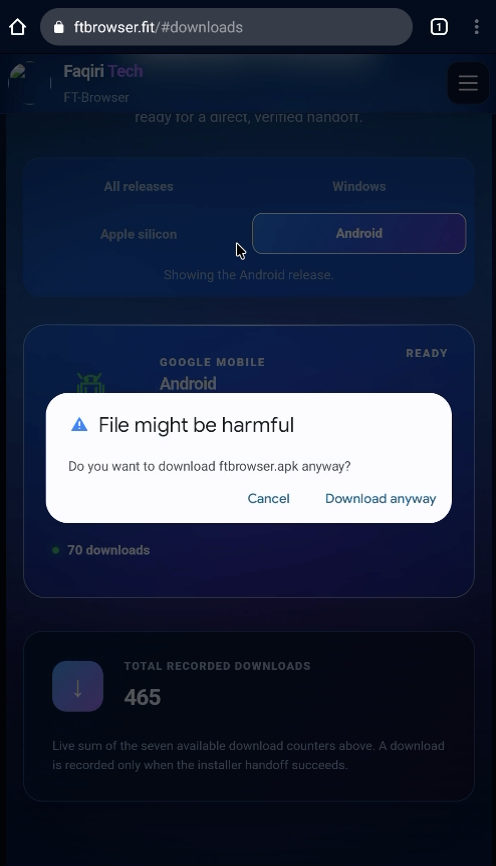
Confirm the browser download
If your browser warns about APK files, confirm only after checking that the address is ftbrowser.fit.
-
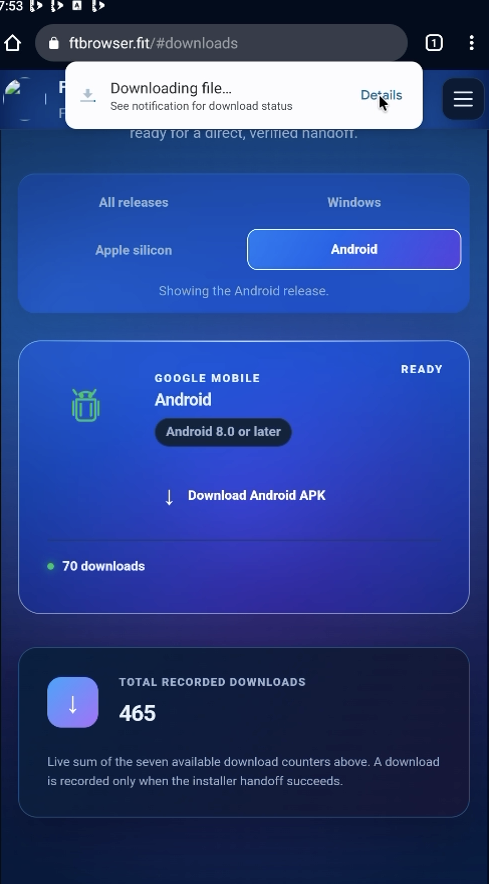
Check the download progress
Open Details from the download notification to follow the APK download.
-
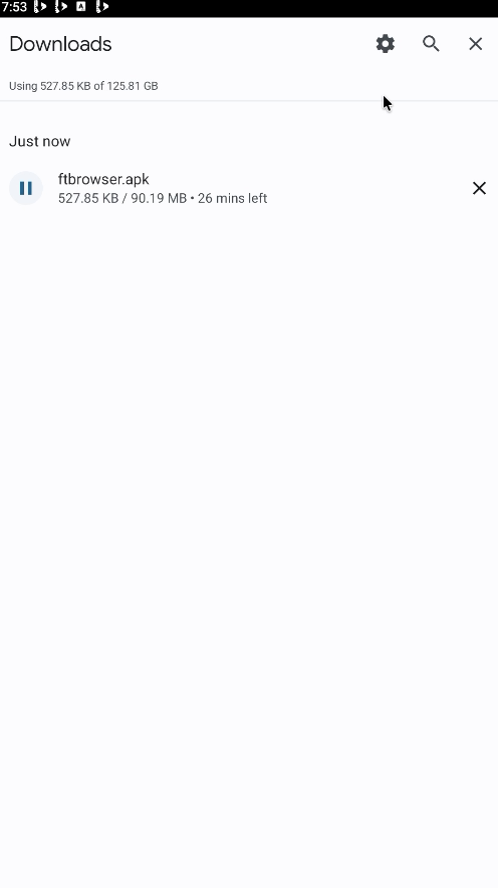
Wait for the APK to finish
Keep the connection active until ftbrowser.apk has downloaded completely.
-
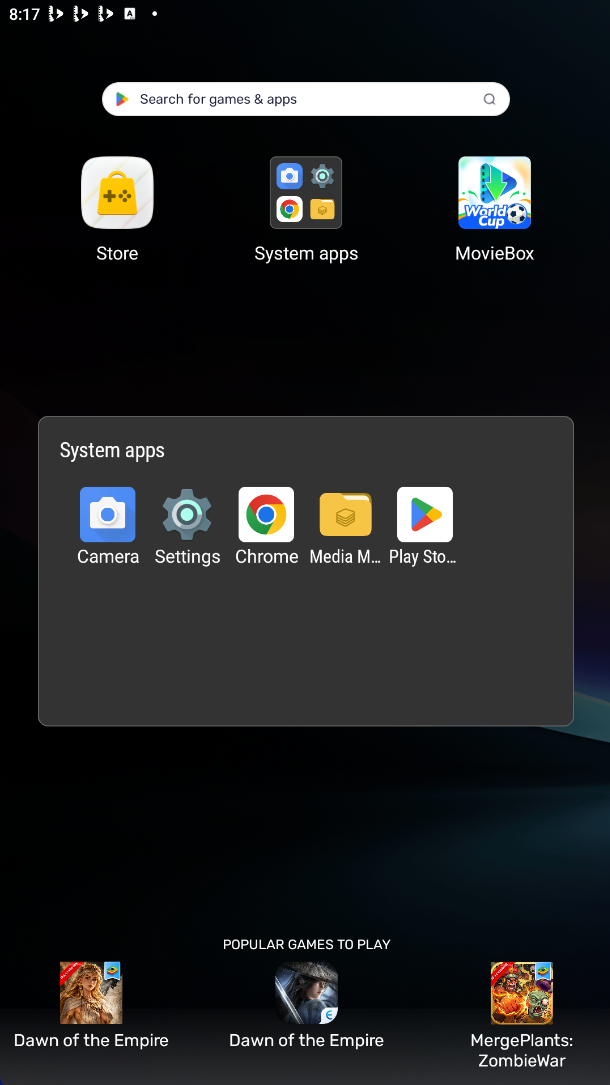
Open Media Manager
On this example device, Media Manager is inside the System apps folder.
-
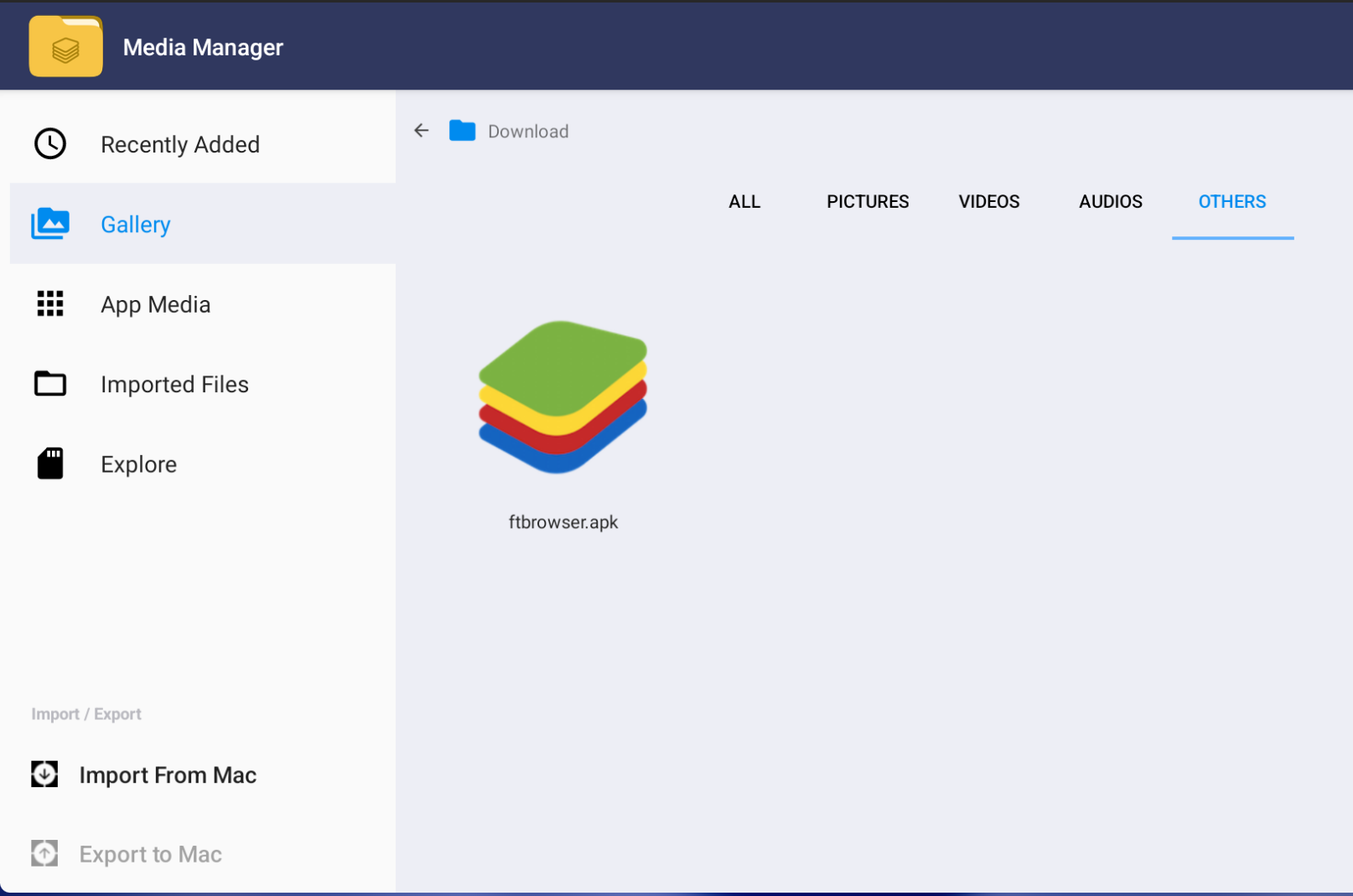
Find the APK
Open the Download folder and choose Others to locate ftbrowser.apk.
-
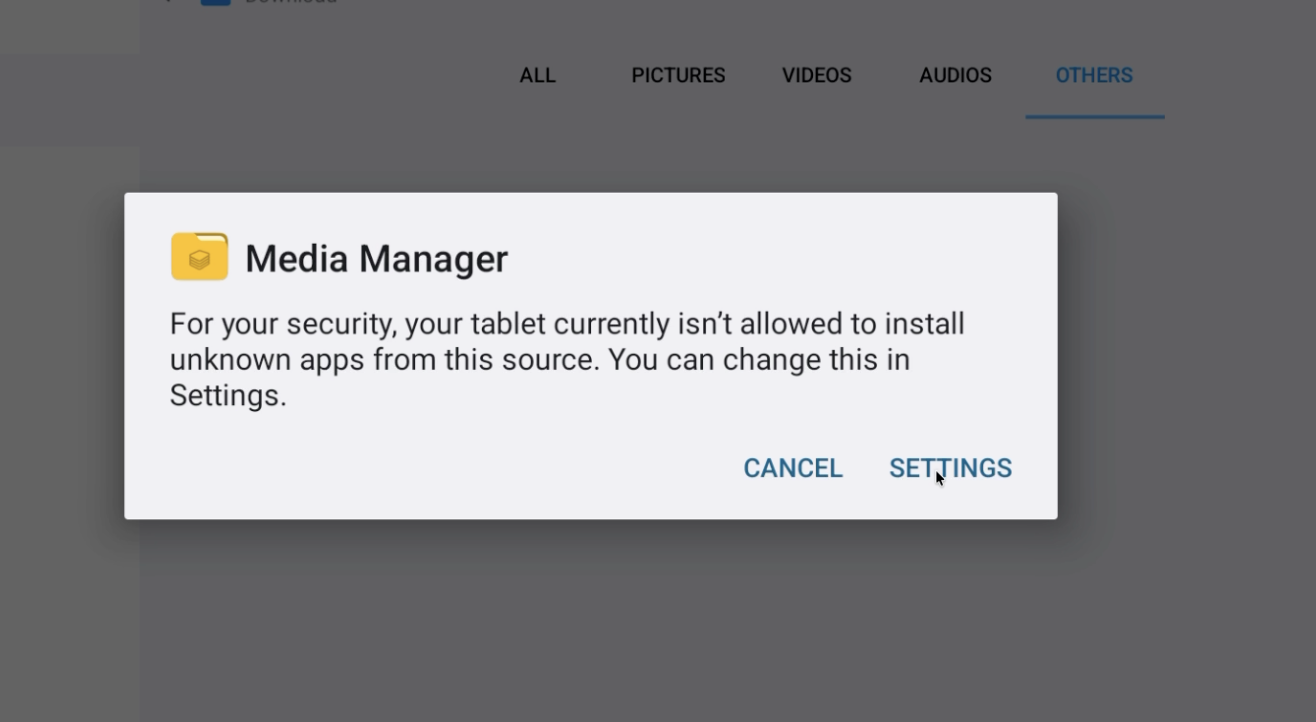
Allow this installation source
When Android blocks the installer, open Settings and allow only the file manager you are currently using.
-
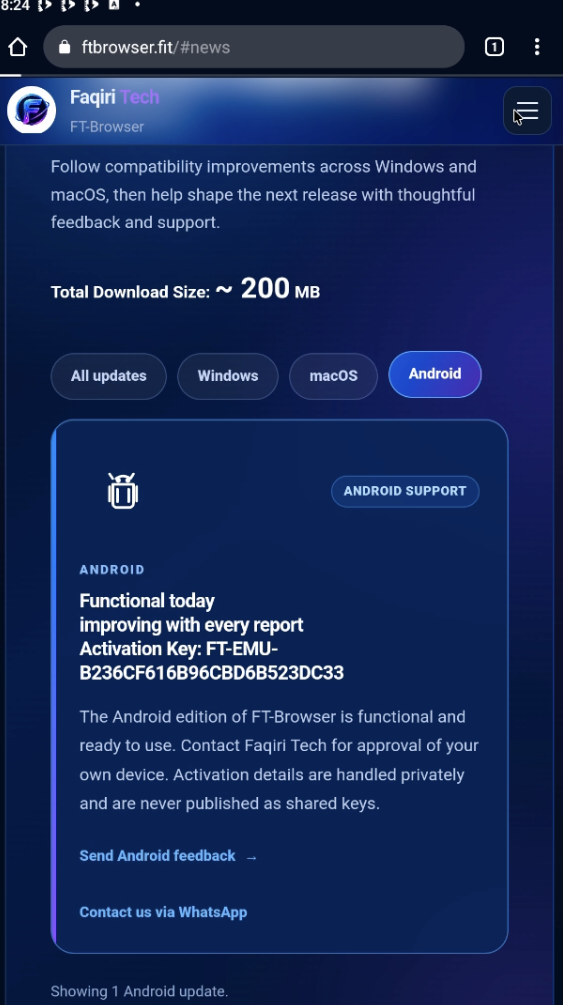
Read the Android activation notice
Check the Android update in News for the current activation instructions. Never post private device codes in public feedback.
-
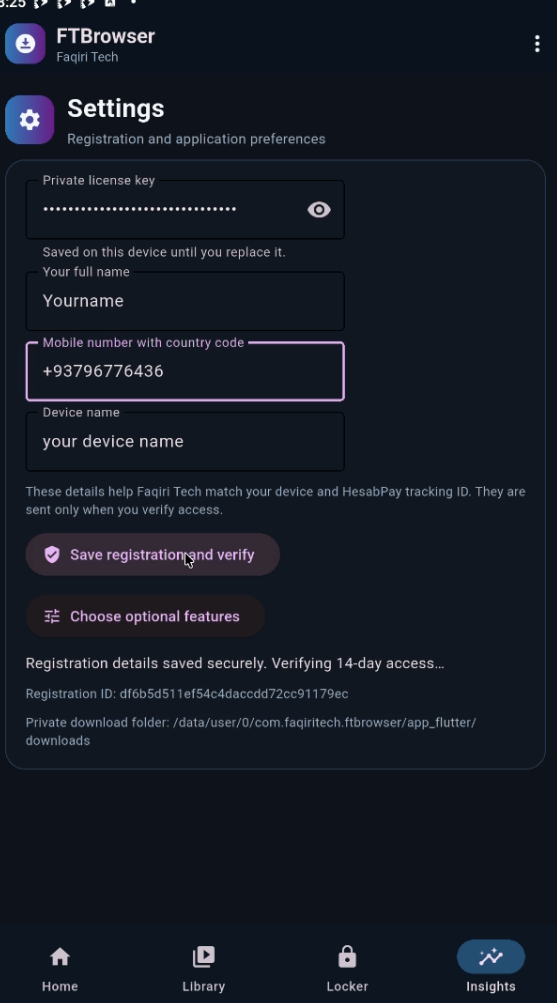
Complete registration in Settings
In FT-Browser, open Insights, use the top-right menu, then open Settings and enter your own details.
-
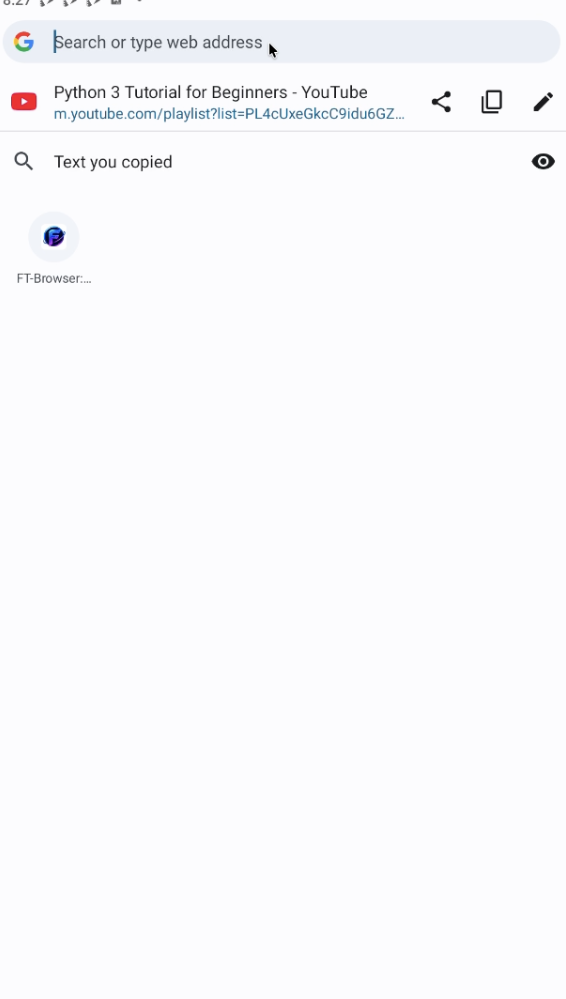
Copy a permitted media link
In your browser, copy the full link for media you have permission to save.
-
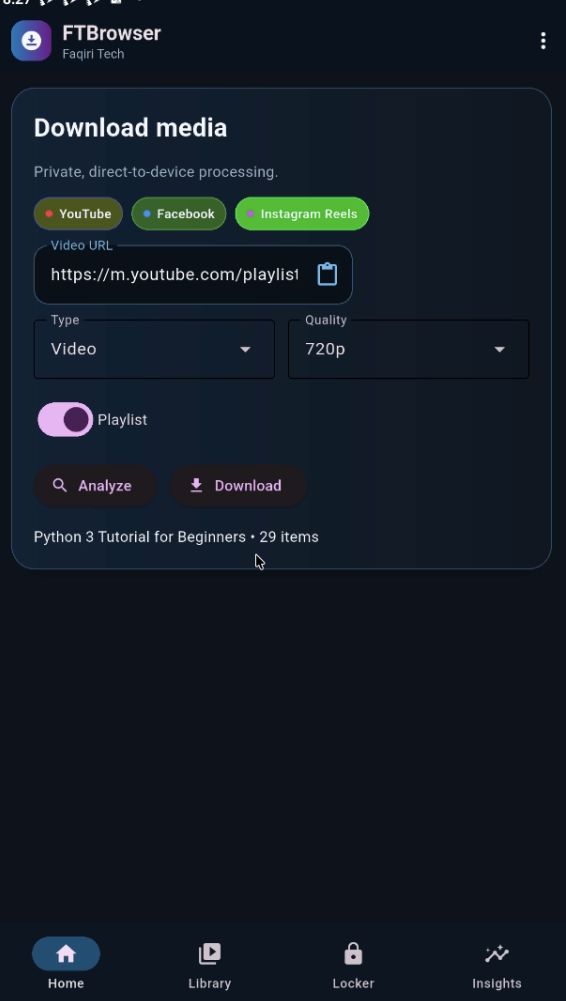
Analyze and start the download
Paste the link, choose the type and quality, analyze it, then tap Download.